Monthly Countdown Timer on iPhone: Days Left and Month Progress
A monthly countdown timer can mean two different things. Some people want to see how much of this month is left: the days left in the month, or month progress as a percentage. Others want a countdown that starts over every month, for rent, payday or a bill. This guide covers both on iPhone, with the math, a worked example and setups you can copy.
The math needs only a pencil. Where an app helps, we show it in Left, the time awareness app we make.
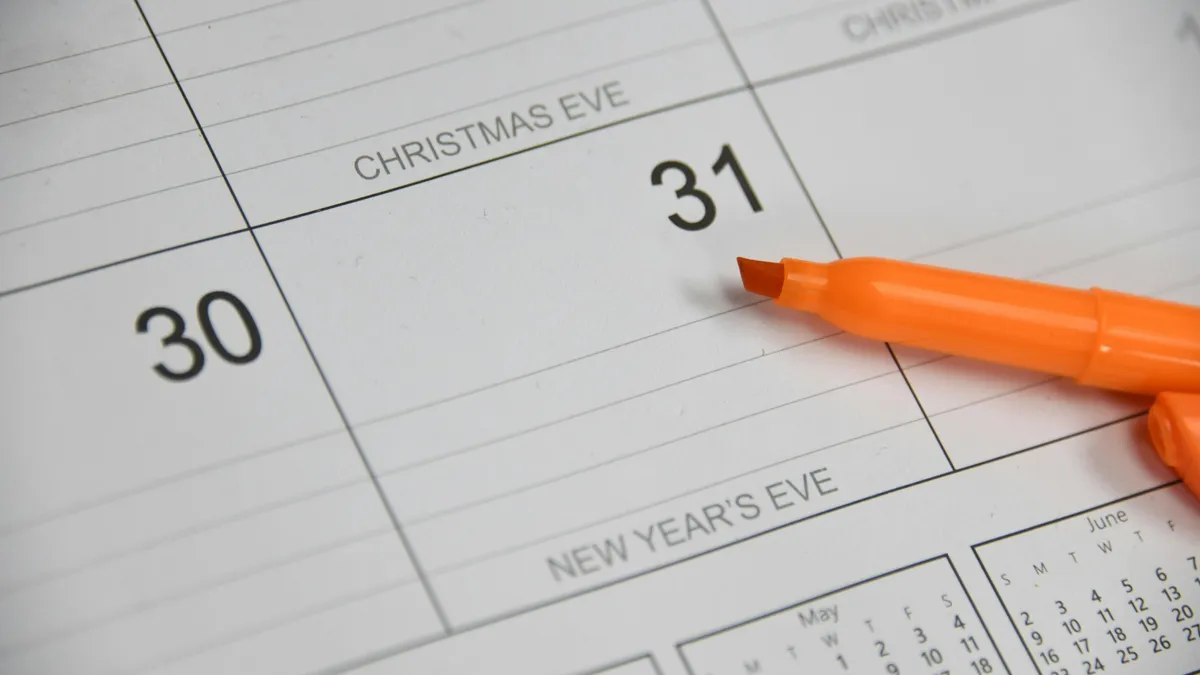
Two kinds of monthly countdown timer
They answer different questions, so decide which one you need first.
| How much of the month is left | A countdown that resets monthly | |
|---|---|---|
| Question it answers | How far through November am I? | How long until rent is due? |
| Counts down to | The last moment of the month | A fixed date, such as the 1st or the 25th |
| Typical display | 22 days left, or 71% left | 16 days to payday |
| Starts over | On the 1st, by itself | When the date passes, it moves to next month's |
| Good for | Monthly goals, pacing a budget, month-end work | Rent, payday, bills, a monthly review |
How to work out the days left in the month
Start with the month's length:
- 31 days: January, March, May, July, August, October, December.
- 30 days: April, June, September, November.
- 28 days: February, or 29 in a leap year (the next one is 2028).
Then pick how you count, because "days left" has two honest answers:
- Counting today: days in the month − today's date + 1. Use this when today still counts, as with a daily budget or a daily habit.
- Not counting today: days in the month − today's date. Use this in the evening, when today is mostly spent.
For month progress, take the days that have fully passed, add the part of today that's gone, and divide by the month's length:
Percent passed = (today's date − 1 + hours so far today ÷ 24) ÷ days in the month × 100. Percent left is 100 minus that.
Worked example: November 9, 2026, at 6 pm
- November has 30 days.
- Days left, counting today: 30 − 9 + 1 = 22. Not counting today: 21.
- Time passed: 8 full days plus 18 hours, or 8.75 days.
- Month progress: 8.75 ÷ 30 = 29.2% passed, so 70.8% left.
To count down to any date in days, hours, minutes and seconds, the date countdown calculator does the math for you.
Why "percent of the month" is more honest than "day 15"
Months run from 28 to 31 days, so the same date sits at a different point in each one. Here is how far through the month you are on the morning of the 15th:
| Month length | Example | Passed on the morning of the 15th | Days left, counting the 15th |
|---|---|---|---|
| 28 days | February 2026 | 50.0% | 14 |
| 29 days | February 2028 | 48.3% | 15 |
| 30 days | November | 46.7% | 16 |
| 31 days | December | 45.2% | 17 |
That's a three-day spread for the "same" date. The 28th ends February but leaves four days in a 31-day month. If you pace anything against the calendar, such as a spending limit, a sales target or a reading goal, a percentage keeps you honest where a date can mislead.
It's the same idea as year progress at a smaller scale. What year progress is and how it's calculated goes deeper, and the time left in the year calculator shows the bigger picture.
How to add a month progress widget on iPhone
Apple's Calendar widget can show the month with today marked, but it doesn't count what's left. For a number or a percentage, you need a widget that does the math.
In Left, month progress is built in. Time Left has a Month tab that shows the month as a grid of days, and the Month widget puts the same grid on your Home Screen or Lock Screen, with the days or percentage left beside it. The time grid widgets, including Month, are free, and there's nothing to create first.
- Install Left and open it once.
- Touch and hold an empty part of your Home Screen, tap Edit, then Add Widget.
- Search for Left, choose Month, pick a size and tap Add Widget.
- Touch and hold the widget, tap Edit Widget, and set Time left to the amount (days left) or the percentage.
On the Lock Screen, the circular Month widget shows the number or percentage left below the clock. iOS decides when widgets refresh, so it can lag the app a little. The year progress widget page lists every Time Left widget and its sizes.
How to make a countdown that resets every month
For rent, payday or a bill, you want a date that counts down, reaches zero and starts again. Apple's Reminders and Calendar can repeat an item monthly, but they show a due date, not a count of days.
In Left, this is an Ahead date with a monthly repeat:
- Open Ahead and tap Add a date ahead (or +).
- Type a name, such as "Rent due", or tap New date. If the date is already in your calendar, From calendar imports it.
- Set Starts to the next time it's due, for example December 1.
- Set Repeat to Monthly.
- Under More options, set Show as… to days.
- Add a reminder, anywhere from a month to a day before.
- Add an Ahead widget to your Home Screen or Lock Screen and pick the date.
If the date falls on the 29th, 30th or 31st, check the next few months after you set it up: apps and calendars handle short months differently, so a date on the 31st may move or skip a month.
Left is free to download. The free plan includes 2 countdowns, 2 habits, 2 streaks and 2 Aims, counted over every item you've ever created, so deleting one doesn't free a slot. Left Premium, a subscription or lifetime purchase, unlocks unlimited items. Prices are shown in the app before you buy.
Start a monthly countdown in Left
Four ways to use a monthly countdown
Budget to payday
Divide what's left by the days left. Say it's November 9, payday is the 25th, and you have $480 for groceries and everything else. Counting today but not payday, that's 16 days, or $30 a day. A week later you have $300 left with 9 days to go: $33 a day, so you're slightly ahead.
A repeating payday countdown keeps that second number in view. If your pay date moves around weekends and holidays, check it each month. This is arithmetic, not financial advice; for a real budget plan, talk to a financial professional.
A monthly goal with an Aim
Turn the goal into a number and compare two percentages. Say you want to run 100 km in November. That's about 3.3 km a day. At 6 pm on November 9 the month is 29% gone, so you're on pace if you've logged about 29 km.
In Left, set it up as an Aim that counts up to 100 km, and set the Month widget to percentage. If the Aim shows 22% done while the month shows 71% left, you're about 7 km behind, with three weeks to catch up.
A month-end work deadline
Count workdays, not days. On Monday, November 9, there are 22 calendar days left but only 16 weekdays, or 15 if your workplace closes for Thanksgiving on the 26th. Planning against 22 is how month-end crunches happen.
Add an Ahead date for the deadline and turn on Get ready for the start: in the hours before it, a Live Activity shows the countdown on your Lock Screen and in the Dynamic Island. On the last day, the workday countdown shows the hours and minutes until you stop work.
A monthly review
Use the 1st of each month rather than the last day, so the date never lands on a missing 31st. A repeating Ahead date with a reminder a day before is enough. Ten minutes covers it: what moved, what didn't, and the one number to watch next month.
Questions
How many days are left in this month?
Subtract today's date from the number of days in the month, and add 1 if you count today. On November 9, 2026, that's 22 days counting today, or 21 without it.
How do I calculate what percentage of the month has passed?
Add the full days that have passed to the part of today that's gone, divide by the days in the month and multiply by 100. At 6 pm on November 9, 2026: (8 + 0.75) ÷ 30 = 29.2% passed, so 70.8% is left.
Is there a month progress widget for iPhone?
Yes. Left's Month widget shows the month as a grid with the days or percentage left, on the Home Screen or the Lock Screen, and it's free. Apple's Calendar widget shows the month but doesn't count what's left.
How do I set up a countdown that repeats every month?
Use a countdown app with a monthly repeat. In Left, add a date in Ahead, set Starts to the next due date and set Repeat to Monthly. Reminders and Calendar can repeat monthly too, but show a due date, not a count.
How many workdays are left in the month?
Count the weekdays from today to the end of the month, then subtract the holidays your workplace observes. From Monday, November 9, 2026, that's 16 counting today, or 15 if you're off for Thanksgiving. The business days calculator counts them between any two dates.
Start noticing what matters.
Download Left on your iPhone to see the time you have left, dates you are looking forward to, build the habits you want to keep, and become a better version of yourself.
Scan or search "Left" on the App Store.