Monthly Habit Tracker: Use the Month to Review Your Habits, Not to Judge Each Day
Judge a habit day by day and every miss feels like a verdict. Skipped the walk on Tuesday? Failed. Look at the same habit across a month and Tuesday shrinks to what it was: one empty square in a row of mostly filled ones. The month is where habits actually make sense.
That's the idea behind a monthly habit tracker. You still log every day, but you only decide things once a month: what's working, what to drop, what to shrink, what to try next. Here's how the month grid works, a 15-minute monthly reset, and how to set it up on iPhone.
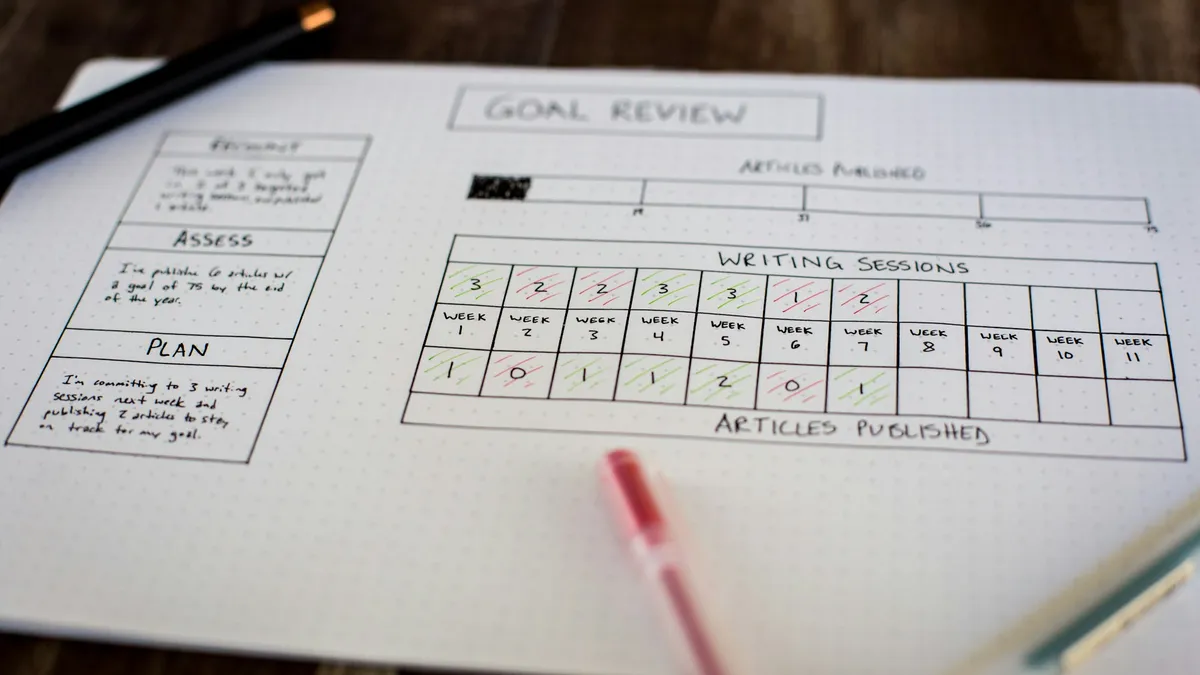
What a monthly habit tracker is
The classic version comes from bullet journals: a grid with your habits down the left side and the days of the month across the top, 1 to 31. Each day you fill in the square for every habit you did. At the end of the month you have a picture of the whole month on one page.
What makes it useful isn't the logging. It's what you can read off the finished grid:
- Rows tell you which habits stuck and which never got going.
- Columns tell you which days fell apart. If every habit is empty on the same Sundays, the problem is Sundays, not your willpower.
- Gaps tell you what happened: a trip, a cold, a deadline week.
The format matters less than the habit of looking at it once the month is over.
Why the month works
- A fresh start on the 1st. A new month is a natural line to draw. You get a clean grid twelve times a year instead of waiting for January.
- Enough days to see a pattern. A week is too short: one bad week can be bad luck. Thirty days shows whether a habit fits your life or keeps losing to it.
- Short enough to adjust. A year is too long to stick with a plan that isn't working. A month lets you change course before a bad setup costs you a season.
- It separates doing from judging. Day to day, your only job is to do the habit and log it. Evaluation waits for the review. That alone takes a lot of pressure off a missed day.
Two kinds of monthly habits
"Monthly habit" can mean two different things, and they need different setups.
Daily habits, viewed by month
"Read 10 pages", "Stretch for one minute", "No phone in bed". You do these every day or on set days, and the month is just the window you review them in. The question at month end is: how regular was I, and is the habit getting easier?
Habits with a monthly target
Some habits don't belong to any particular day. They have a count for the month:
- "Deep clean the kitchen, twice a month"
- "Call grandma, 4 times a month"
- "Cook one new recipe a week", which is either a weekly habit or 4 times a month, depending on whether you care that they're spread out
Forcing these into a daily checkbox makes most days look like misses. Give them a monthly count instead, and any day you do them counts toward the total. The month is a success when you hit the number, whether that happened on the 3rd and 4th or the 20th and 28th.
| Habit | Period | Count | What you review |
|---|---|---|---|
| Read 10 pages | Day | 1, every day | Days done, habit strength |
| Gym | Day | 3 days per week | Weeks you hit 3 |
| Cook a new recipe | Week | 1 | Weeks done out of 4 or 5 |
| Call grandma | Month | 4 | Did you reach 4 |
| Deep clean the kitchen | Month | 2 | Did you reach 2 |
The 15-minute monthly reset
Do this on the last day of the month or the first morning of the new one. Put a time on it, because a review with no date never happens.
- Score last month (5 minutes). For each habit, write one number: days done, or count reached against the target. No excuses yet.
- Keep, drop or shrink (5 minutes). Go habit by habit.
- Keep anything you did on most of the days you planned to. Don't make it harder yet; one more month at the same size makes it automatic.
- Shrink anything you kept starting and dropping. "Run 5 km" becomes "Put on running shoes and walk out the door". "Read 30 minutes" becomes "Read 10 pages". A small habit you do beats a big one you skip.
- Drop anything you barely touched and don't miss. Dropping a habit on purpose is a decision, not a failure.
- Pick at most one new habit (3 minutes). One. Three new habits a month means a dozen by spring, none of them kept well.
- Set this month's counts (2 minutes). Look at the calendar. A month with a holiday trip doesn't get the same gym count as a normal month. Adjust targets so a realistic month looks like a good one.
The goal isn't a perfect month, just a slightly better setup, twelve times a year. For keeping going between reviews, see how to stay consistent with goals.
Paper, printable or app?
All three work. They're good at different parts of the job.
- Paper (bullet journal). Drawing the grid on the 1st is part of the ritual, and filling squares by hand is satisfying. A finished month on paper is also the best thing to reflect on: everything on one page, no scrolling. The weakness is that the journal is closed most of the day, so it's easy to forget to log, and then you're filling in a week from memory.
- Printable. Same strengths as paper with less setup. Print a month grid, stick it on the fridge or near your desk. Useless when you're not at home.
- App. Always with you, logs in one tap, reminds you, and handles monthly targets without you counting tallies. With widgets, today's habits sit on your Home Screen or Lock Screen, which is daily visibility no notebook can match. The weakness: it's easy to only ever look at today and never zoom out.
A good split for many people: an app for the daily part, and a monthly review where you actually look at the month, in the app or copied onto a paper grid if you like the ritual.
How to set up a monthly habit tracker on iPhone
Here's how in Left, an iPhone app we make. The same structure works in any tracker that supports monthly periods and widgets.
Habits with a monthly target
- Open Left, go to Since and tap +. Type what you want to do ("Call grandma") to find a template, or choose Build from scratch.
- Set the period to month and the count, for example 4 times. You can log it on any days in the month; each tap fills the habit a bit more until it's done for the month.
- For "one new recipe a week", use a week period with a count of 1 instead, so each week gets its own target.
Daily habits you'll review monthly
- Create the habit the same way with a day period. Pick every day, weekdays, weekends, specific days, or a number of days per week.
- Log it each day with Log in the app, or from a widget. If you log by mistake, you can undo.
- At month end, open the habit. Its page shows the completion grid, days completed and missed, current and longest streak, and habit strength, a consistency measure that drops a little after a miss instead of resetting to zero. Strength is the best single number for a monthly review. The streaks vs habits page explains how habits differ from Left's streak trackers.
Drop habits without losing them
When the reset says "drop", archive the habit. It disappears from Since and your widgets, its history stays, and archived days count as skipped, so they don't pile up as misses if you bring it back later.
Put the month where you'll see it
- Habits list widget. Shows several habits and their progress at once, up to 8 in the large size, also on the Lock Screen. Your monthly targets fill up there as the month goes on.
- Month Time Left widget. A grid of the current month showing how much of it is left. Next to a monthly habit that's at 1 of 4 calls, a month that's 70% gone is a useful nudge. Time Left widgets are free.
- A reset reminder. Add an Ahead countdown to the 1st of next month. It's a quiet signal that the review is coming.
The habit tracker page shows each habit widget and size, and how to see weeks and days on your iPhone screen covers the Time Left grids.
Left is free to download. The free plan includes 2 habits and 2 streaks (plus 2 Aims and 2 countdowns), counted over everything you've ever created. Left Premium is a subscription or lifetime purchase. Prices are shown in the app before you buy.
Common monthly tracker mistakes
- Tracking too many habits. A grid with 15 rows looks impressive on the 1st and abandoned by the 10th. Five or six is plenty.
- Reviewing every day. Looking at the grid daily turns it back into a daily verdict. Log daily, judge monthly.
- Treating a bad month as a reason to quit. A bad month is data. Shrink the habit and run it again. How to build a streak has more on restarting after a miss.
Questions
What is a monthly habit tracker?
A monthly habit tracker shows a whole month of habits at once, usually as a grid with habits down the side and days across the top. You log daily and review the finished month to see which habits stuck.
What habits should I put in a monthly tracker?
Daily habits you want to review over a month, like reading or stretching, and habits that only need a monthly count, like calling family four times or deep cleaning twice. Five or six habits is a manageable number.
How do I do a monthly habit review?
Score each habit with one number, then keep, shrink or drop it, add at most one new habit, and set this month's targets. It takes about 15 minutes at the end of the month.
Can I track a habit I only do a few times a month on iPhone?
Yes. In Left, create a habit with a month period and a count, such as 4 times, and log it on any days in the month until it's done.
Is a paper or app monthly habit tracker better?
A paper grid is better for reflecting on a finished month; an app is better for logging daily and seeing your habits all day through widgets. Many people log in an app and review on paper or in the app's completion grid.
Start noticing what matters.
Download Left on your iPhone to see the time you have left, dates you are looking forward to, build the habits you want to keep, and become a better version of yourself.
Scan or search "Left" on the App Store.