6 Best Structured App Alternatives for iPhone in 2026
Checked 20 October 2026. Every competitor detail below comes from that app's US App Store page and Apple's public lookup data, fetched that day, plus developers' own websites where we say so. Left details come from the app itself.
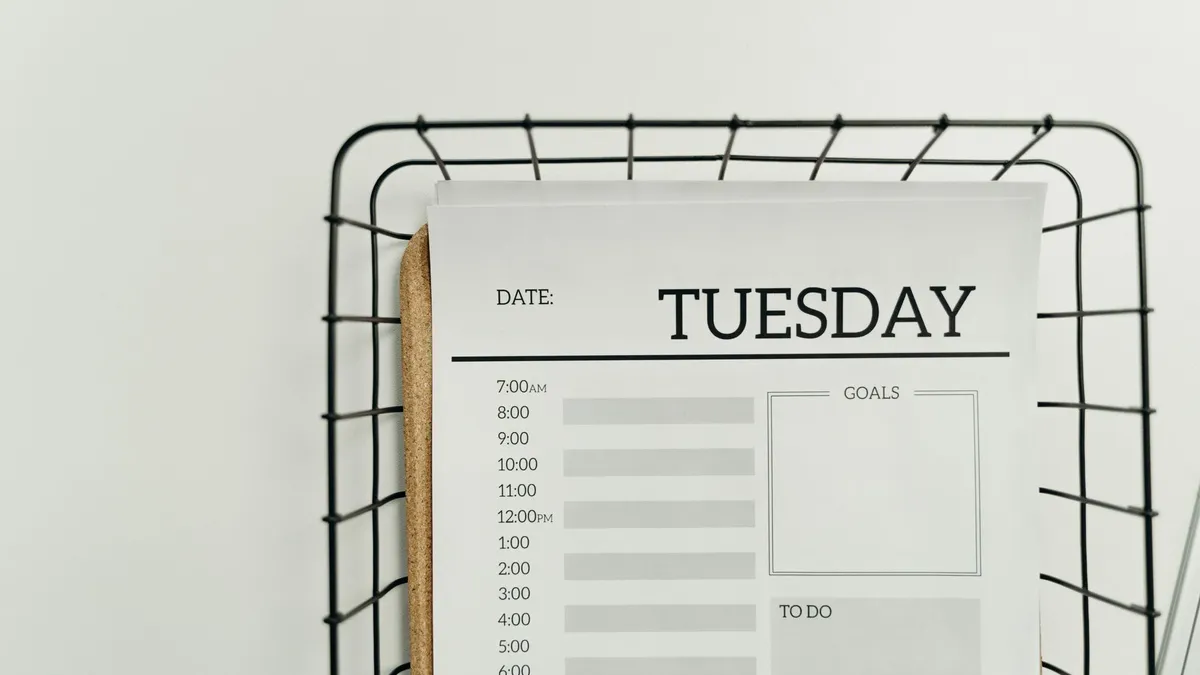
Structured is a visual day planner: your tasks and events sit on a drag-and-drop timeline, so you can see the shape of the day. It has 4.8 stars from 167,754 ratings on the US App Store. People look for an alternative when they want their plans to stay in Apple Calendar, Reminders or another task app, want a different price model, or want a planner that does more or less than time blocking. Here are six alternatives, starting with ours, and when each one fits.
Disclosure: we make Left, so we have put it first. Here is why, and when another app suits you better.
Quick verdict
- Best if your plans already live in Apple Calendar, Reminders or Todoist, and you want to see how much of the day is left: Left.
- Closest like-for-like visual planner: Tiimo.
- Best timeline built directly on Apple Reminders and Calendar: Planny.
- Best for tasks, a calendar, habits and a timer in one app: TickTick.
- Best one-time-purchase task manager: Things 3.
- Best for professional calendar time blocking: Akiflow.
 What Structured does well
By unorderly GmbH. Its App Store page lists, in the free version, a visual day planner with a drag-and-drop timeline, an inbox, sub-tasks with notes, a Pomodoro focus timer, Live Activities, interactive widgets and sync across iPhone, iPad, Apple Watch and Mac.
- Structured Pro: connects your calendars and Reminders, adds recurring tasks and routines, AI day planning, Replan for missed tasks and custom notifications. It's offered monthly, annually or as a lifetime purchase.
- Platforms: iPhone, iPad, Mac, Apple Watch and Vision Pro, and the developer's site says it's also on the web and Android.
If you like time blocking on a timeline and the free version covers you, Structured is a strong choice. The alternatives below suit different ways of planning.
Comparison table
Ratings and counts are from the US App Store, checked 20 October 2026; Left's is its worldwide average. "Not stated" means the listing doesn't mention it, not that the feature is missing.
| App | Approach | Price model | Apple Calendar and Reminders | Apple Watch | Rating (US) |
|---|---|---|---|---|---|
| Structured | Drag-and-drop timeline | Free; Pro monthly, yearly or lifetime | Yes (Pro) | Yes | 4.8 (167,754) |
 Left | Day view plus time left | Planner is part of Left Premium (subscription or lifetime) | Yes, plus Todoist | Yes, with complications | 4.7 (worldwide) |
 Tiimo | Visual schedule with AI co-planner | Free basic planner; Tiimo Pro | Yes | Yes | 4.6 (20,948) |
 Planny | Timeline on Apple Reminders and Calendar | Free; Premium monthly, annual or lifetime | Yes (built on them) | Yes | 4.4 (44) |
 TickTick | Tasks, calendar, habits, timer | Free; Premium monthly or annual | Calendar integration listed; Reminders not stated | Yes | 4.9 (46,468) |
 Things 3 | Task manager with Today and Upcoming | $9.99 once (iPhone) | Calendar events in Today and Upcoming | Yes | 4.8 (28,016) |
 Akiflow | Calendar and task time blocking | Premium weekly, monthly or yearly; no free plan (developer site) | Google Calendar, Outlook and more | Yes | 4.2 (189) |
1. Left: your whole day, and how much of it is left
Left is a time awareness app for iPhone. Its Planner is a day view that pulls together what you already use, and its Time Left views show how much of today, the week and the year remain.
- One day view: Planner shows events from the Apple Calendars you choose, reminders from the Apple Reminders lists you choose, and Todoist tasks once you connect it, next to your habits, streaks, Aims and Ahead countdowns. A summary adds the weather and sleep, steps, workouts and mindful time from Apple Health.
- Not read-only: tick off a reminder or a Todoist task and the change is saved back; log a habit by tapping its symbol; add a reminder or calendar event with +. View as switches between a list, a week and a month.
- Planner widget: small, medium and large, interactive, so you can complete a reminder or a habit from the Home Screen.
- Time left today: the Today view and the Day widget show the hours left today as a grid, the Daytime widget fades the parts of the day that have passed, and the Minutes widget counts down the current hour.
- Nudges: a habit's Get a persistent reminder shows a Live Activity an hour before a time you choose if it isn't logged, and countdowns can show a Live Activity before they start or end.
Best for: people who keep plans in Apple Calendar, Reminders or Todoist and want to see the day, their routines and the time that's left in one place, without moving everything into a new planner.
Price: Planner is part of Left Premium, a subscription or lifetime purchase; on the free plan it shows a sample. Time Left, the Day, Daytime and Minutes widgets, and 2 each of habits, streaks, Aims and countdowns are free. Prices are shown in the app before you buy.
Pros: uses your existing calendars, reminders and Todoist instead of a separate task list; habits and countdowns in the same view; an interactive Planner widget; free time-left widgets.
Cons: not a time-blocking timeline: there's no drag-and-drop scheduling, inbox or AI day planning; Planner needs Left Premium, while Structured has a free version; needs an iPhone with iOS 26 or later.
2. Tiimo
By tiimo ApS. Its App Store page lists an AI co-planner, a color-coded visual schedule with drag-and-drop tasks, a to-do list with AI priority grouping, a focus timer, sync with Apple Calendar and Reminders, and widgets for the Home Screen and Lock Screen. It describes itself as a "neurodivergent-friendly planner".
Best for: people who want a visual timeline like Structured's, with AI help to plan the day.
Price: free version with a basic planner, limited AI chats and 1 profile. Tiimo Pro unlocks the full features and the web version, with a 7-day trial on the yearly plan.
Pros: Apple Watch, iPad and Mac; Apple Calendar and Reminders sync; Tiimo's site says it's also on Android and the web.
Cons: the free version is limited; its privacy label lists identifiers used to track you.
3. Planny
By Kevin Reutter. Its App Store page describes one chronological timeline of tasks and events, built directly on Apple Reminders and Calendar with no account, a focus timer "with a Live Activity on the Lock Screen and in the Dynamic Island", habits with streaks, Home Screen and Lock Screen widgets and an Apple Watch app with complications.
Best for: Apple Reminders and Calendar users who want a timeline view on top of them.
Price: "Everything essential is free." Planny Premium, monthly, yearly, lifetime or family, extends Planny Intelligence, statistics ranges, habits, attachments and wallpapers.
Pros: no separate account or database; Live Activity focus timer; Apple Watch; updated in October 2026.
Cons: only 44 ratings so far; requires iOS 26 or later, like Left.
4. TickTick
By Appest Limited. Its App Store page describes a to-do list with calendar views, multiple reminders, a Pomo timer, habits, countdowns and Siri. Recent release notes add extra-large widgets, Live Activities in landscape and StandBy, and an AI assistant.
Best for: one app for tasks, a calendar view, habits and focus sessions.
Price: "TickTick is always free"; Premium, monthly or annual, raises limits such as lists, tasks per list and reminders per task, and adds calendar subscriptions and more than 5 habits and countdowns.
Pros: 4.9 from 46,468 ratings; Apple Watch; widgets and Live Activities; around since 2013.
Cons: it's task-list-first rather than a timeline planner; its privacy label lists contact info, user content, identifiers and diagnostics as linked to you.
5. Things 3
By Cultured Code GmbH & Co. KG. Its App Store page describes to-dos, projects and areas, Today and Upcoming lists that show your to-dos alongside calendar events, This Evening, reminders, repeating to-dos, Home Screen and Lock Screen widgets and an Apple Watch app.
Best for: people who want a calm, polished task manager they pay for once.
Price: $9.99 on iPhone, with no in-app purchases. The developer's site sells the Mac, iPad and Vision Pro versions separately.
Pros: no subscription; 4.8 from 28,016 ratings; calendar events next to your to-dos; Apple Watch.
Cons: no timeline time blocking is described; other devices are separate purchases; Apple platforms only, like Left.
6. Akiflow
By Akiflow Inc. Its App Store page describes calendar, tasks and agenda in one, syncing with Google Calendar and Outlook, connections to "3,000+ Tools & Apps", and an Apple Watch app with quick capture and complications.
Best for: professionals who time-block their work calendar across many tools.
Price: Premium is listed weekly, monthly and yearly. The developer's pricing page says "Akiflow has no free plan", with a 7-day trial.
Pros: deep calendar and integration support; Apple Watch; available on iPhone, web and desktop, per the listing.
Cons: no free plan; 4.2 from 189 ratings; its privacy label lists contact info, user content, identifiers, usage data and diagnostics as linked to you.
How we chose
- Starting point: apps often named as Structured alternatives, checked on the US App Store on 20 October 2026.
- Kept: iPhone apps updated in the last few months that plan the day: visual planners, calendar-based time blockers and task managers with a day view.
- Left out: mobile apps that the developers describe as companions to a desktop app, apps not updated in over a year, and pure calendar apps.
- Sources: each app's own App Store page and Apple's lookup data, plus Structured's, Tiimo's, Akiflow's and Cultured Code's websites where noted. No paid placements, and no developer reviewed this page.
Which one should you pick?
- Your plans live in Apple Calendar, Reminders or Todoist and you want them next to your habits and the time left today: Left.
- You want Structured's visual style with AI planning: Tiimo.
- You want a timeline on top of Apple Reminders: Planny.
- You want tasks, habits and a timer in one app: TickTick.
- You want to pay once: Things 3.
- You time-block a busy work calendar: Akiflow.
For more on Left's day view, read the Left Planner guide. If seeing time pass is the real goal, our guide to time management best practices and the productivity apps roundup may help.
Questions
What is the best alternative to Structured?
It depends on how you plan. Tiimo is the closest visual planner. Left suits you if your plans already live in Apple Calendar, Reminders or Todoist and you want them next to your habits and the time left today. Planny puts a timeline on top of Apple Reminders and Calendar.
Is Structured free?
Structured is free to download, and its App Store page lists a free version with the visual timeline, inbox, focus timer, Live Activities and widgets. Calendar and Reminders sync, routines and AI planning are part of Structured Pro.
Is there a Structured alternative that works with Apple Reminders?
Yes. Left Planner shows reminders from the Apple Reminders lists you choose and saves completions back, and Planny is built directly on Apple Reminders and Calendar. Tiimo also lists Apple Calendar and Reminders sync.
Is Left Planner free?
No. Planner is part of Left Premium, a subscription or lifetime purchase. On the free plan it shows a sample. Left's Time Left views and the Day, Daytime and Minutes widgets are free.
Which Structured alternatives work on Apple Watch?
Tiimo, Planny, TickTick, Things 3 and Akiflow all list Apple Watch on their App Store pages. Left has an Apple Watch app with complications.
Start noticing what matters.
Download Left on your iPhone to see the time you have left, dates you are looking forward to, build the habits you want to keep, and become a better version of yourself.
Scan or search "Left" on the App Store.